📘 How to Create Your DIU Cover Page
Use this tool to quickly generate a clean, DIU‑formatted cover page for your assignments and lab reports. Follow the steps below:
-
Choose the Cover Page Type
From the options above, select the format you need: 📄 Assignment, 📑 Lab Report, 📝 Final Lab Report, or 📂 Lab Report Index. -
Fill in Your Information
✍️ Enter all required details (student name, ID, course title and code, teacher’s name, semester, etc.). Ensure all information is correct and spelled properly. -
Generate the Cover Page
⚡ After completing the form, click the Generate button. Your cover page will be created instantly based on the information you provided. -
Download or Print
⬇️ Download your cover page as a PDF or Image file. You can then print it or attach it to your digital submission (e.g., BLC). -
Review Your Last Submission
👀 To quickly reuse or verify your previous entry, click the “View Last Submission Result” link above. -
Need Help?
💡 For any issues, suggestions, or error reports, use the contact links at the bottom of the page to reach out.
Results After Generation
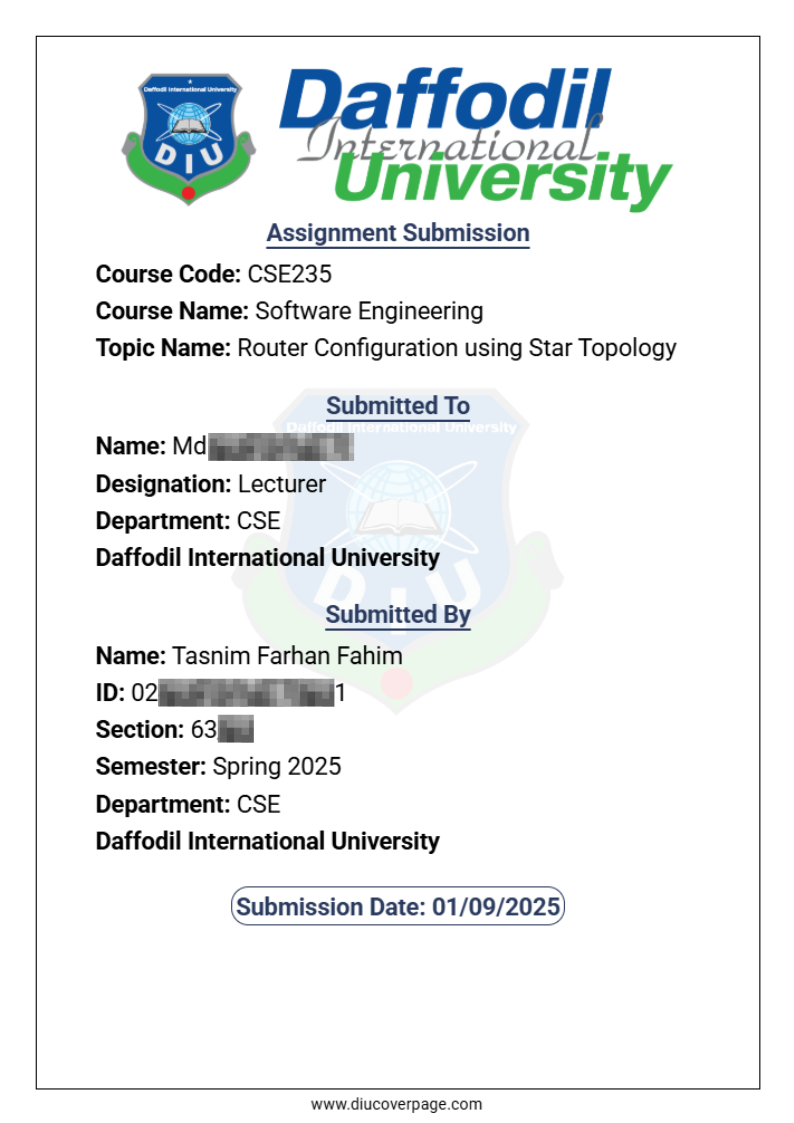
Note: The generated cover page is formatted for A4 size (210mm × 297mm). For correct printing or exporting, make sure your document page size is also set to A4.
Example of a generated cover page:
Tip: ✅ Always use the latest course and instructor information, and follow any additional formatting instructions provided by your teacher. This tool helps you create a professional cover page in just a few clicks.